COMMERCIAL BMS / REMOTE ESTATE ACCESS
Your buildings.Connected. Trend and RDM integration. BACnet/IP and supported web interfaces. Engineered graphics and secure access through OWL.
01 A CONNECTED ESTATEConnection overview Pause animation
SITE CONTROLS LAN
BACnet/IP Web interfaces
Selected for the installed controller
⇄ Managed site connectionFirewall / approved VPN
ENGINEERING WORKSTATION APP
OWL BMS Engineer offline · Save · Publish
SITE LINK Private network Transport to suit the site
OWL SERVICES SERVER
One workspace Estate access Published graphics Identity & permissions
HTTPS Approved account + MFA
REMOTE WEB VIEW BROWSER
Estate & site views Desktop · tablet · phone
Open workspace ↗ PUBLISHED GRAPHICS WEB
Plant & floor plans Pages published by your engineer
Open graphics ↗ PUBLISH GRAPHICS HTTPS
01 Site network02 Secure connection03 Remote view04 Publish graphics
Trend and RDM controllers sit on the site network. BACnet/IP and web interfaces are communication methods, selected for each system.
Topology illustration · No live readings
Controller-specific integration Secure remote access Offline graphics engineering
THE OWL WORKSPACE
See the systembehind the screen. Open the estate tool and published graphics through the secure workspace. Sign in with an approved OWL account.
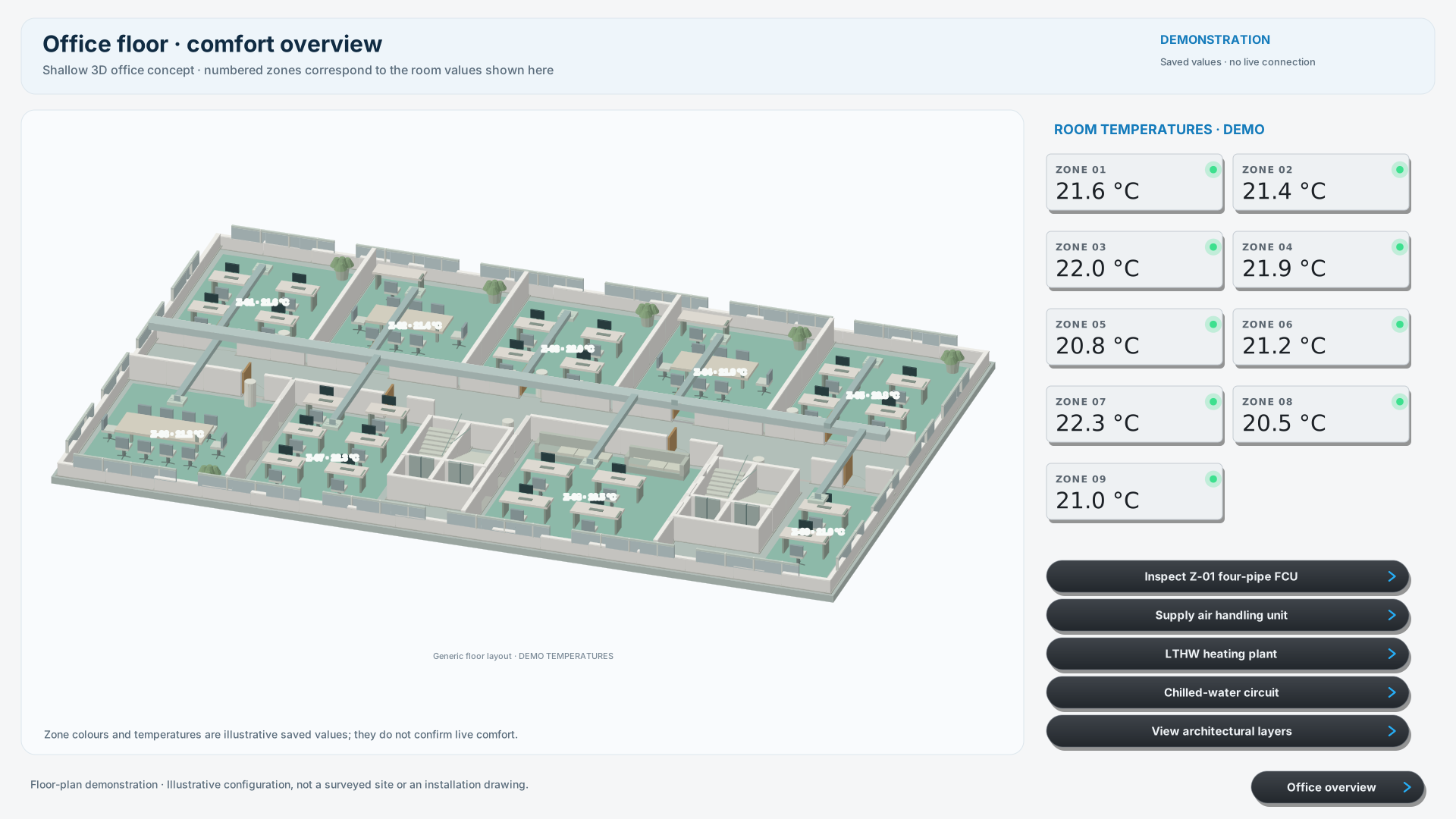
Open secure graphics ↗ Office floor · Comfort overview Demonstration · Saved values
Six editable examples: a shallow 3D office plan, architectural layers, supply AHU, LTHW heating plant, four-pipe fan coil and chilled-water circuit. Pipework connects to equipment and inline valves; digital graphics distinguish off, on and unknown readings. Open any preview in the secure viewer. The examples use saved demonstration values; live points require commissioning.
ENGINEERED. SAVED. PUBLISHED.
Purpose-built Clear floor plans, connected plant schematics and a site menu that follows the building.
Explore the published graphics ↗ 01 Build the view Lay out plant, floors and navigation in OWL BMS Graphics Builder.
02 Connect the points Map devices, values and status to the engineered graphic.
03 Save and publish Save the page to OWL. Publish the version for browser access.
04 Open remotely Approved users sign in to view the published pages.
ACCESS WITH CONTROL
The right access.A clear audit trail. OWL combines approved accounts, authenticator verification and defined roles for viewing, engineering and administration.
Open secure workspace ↗ 01 Approved accounts & MFA Administrator approval and an authenticator code establish access. Remembered sessions follow the configured policy.
02 Defined permissions Viewer, editor and administrator roles. Estate-tool permissions are managed separately.
03 Controlled plant changes The estate tool requires fresh verification for live control, with changes recorded for review.
THE OWL DEVICE RANGE
Connect more of the building. Master Radars Cameras Smart sockets Temperature & humidity Smart heating integration



 Open secure graphics